Founder updates
Share what shipped, what changed, and what comes next without losing the thread.
See howI want to start with the context, then show what changed this week.120 wpm
A private teleprompter that stays visible to you and hidden from supported captures.
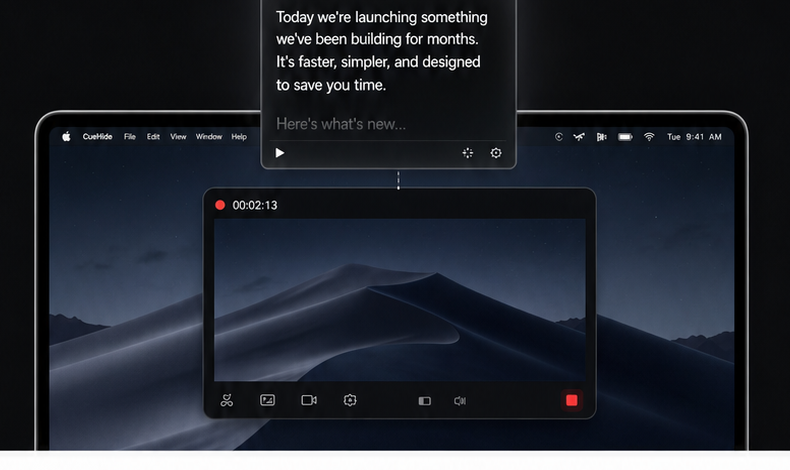
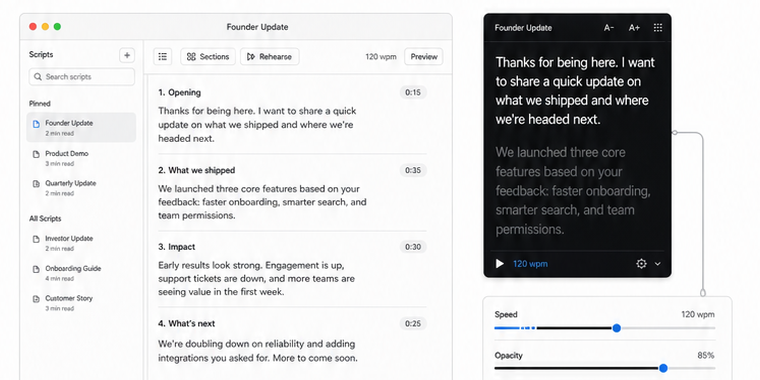
Write, rehearse, and place your prompt. CueHide floats near your camera and stays out of supported recordings and shares.
Prepared words for demos, courses, calls, and updates, without a complicated studio setup.
Share what shipped, what changed, and what comes next without losing the thread.
See howWalk through the product while your next line stays close to the camera.
See howKeep discovery calls and recorded follow-ups crisp, prepared, and natural.
See howTeach from a script without turning the lesson into a visible reading exercise.
See howKeep your words on your Mac. Supported captures stay clean after you test your exact recording setup.
Check compatibilityToday we are launching something faster, simpler, and designed to keep every take on track.
Here is what changed...
CueHide is made for Mac recording workflows, not studio hardware or notes windows dragged beside the camera.
One private Mac teleprompter for recording days, demo days, and the calls that need a cleaner take.
DownloadSimple workflows for cleaner demos, courses, calls, and screen recordings.
 Recording Workflow · 6 min read
A practical guide to using transparent teleprompter overlays on Mac without hurting readability, eye line, or recording quality.
Online Courses · 6 min readA practical course recording guide for educators who want to stay clear, natural, and on track without turning lessons into scripted readings.
Recording Workflow · 6 min readA practical guide to choosing between a floating Mac teleprompter and a second monitor for demos, calls, lessons, and screen recordings.
Short answers about privacy, compatibility, purchase access, and everyday capture behavior.
CueHide is designed to stay hidden from supported macOS capture paths, but recording tools and capture modes differ. Run a short test before important sessions.
CueHide is built around a local script workflow. Your script text is intended to stay on your Mac and is not needed for purchase verification.
Product demos, founder videos, online courses, client presentations, webinars, sales walkthroughs, and any Mac recording where you want a script nearby.
No. CueHide is sold as a one-time $9 lifetime purchase for the Mac app.
CueHide is designed for common macOS call and recording workflows. Behavior depends on each app and capture mode, so test the exact setup you plan to use.
The current product metadata lists macOS 12 or later. Check the latest download notes before installing on older Macs.